

How to use AXO
One page, every tool, in plain words. Each chapter says what a tool is, who it is for, the steps, and shows a real screenshot of the live site on a phone.
Start here: wallet and $AXO
LiveA wallet is how you sign in and pay on AXO. There is no account and no password: you connect a wallet you control, and it approves every payment.
Who it is for: Everyone. Do this once, then every other chapter works.
Steps
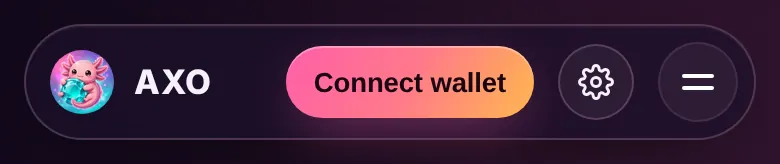
- Open any tool page, for example Swap. Tap Connect wallet in the header at the top.
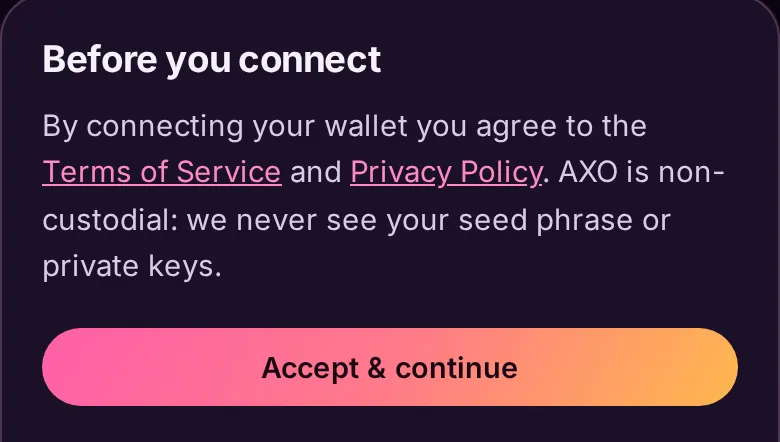
- Read the Before you connect sheet and tap Accept and continue. AXO is non-custodial: it never sees your seed phrase or private keys.
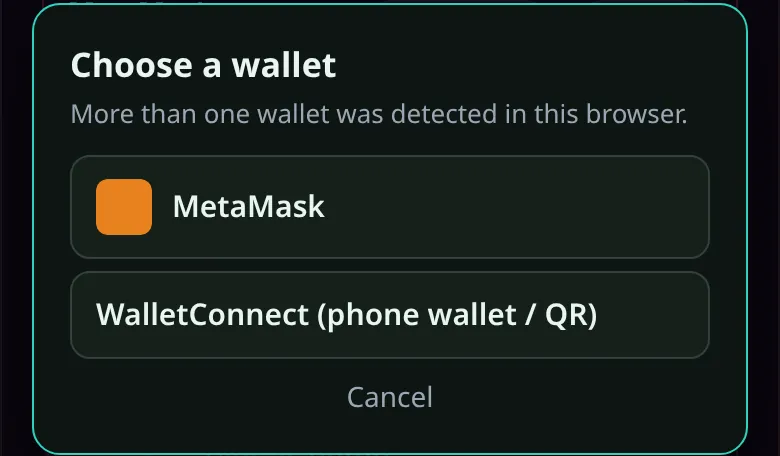
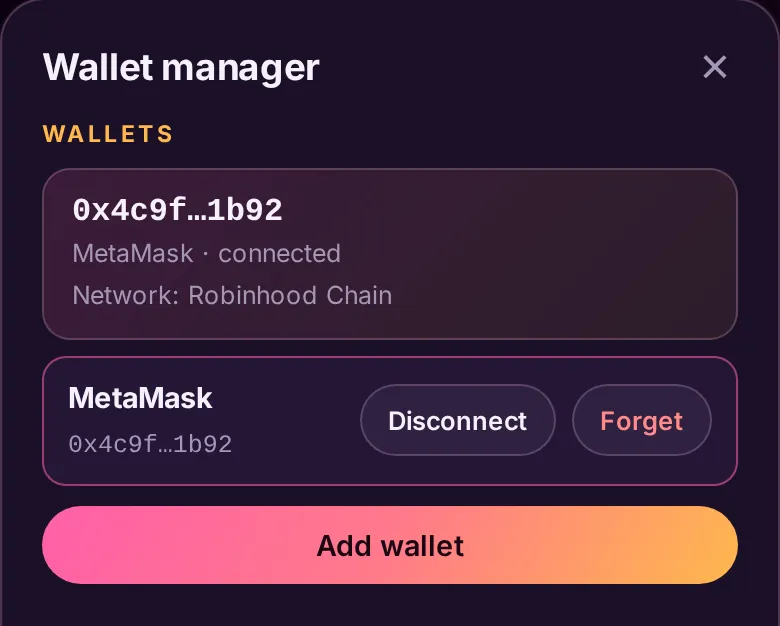
- If your browser offers more than one wallet, pick one in the Choose a wallet box: your browser wallet (such as MetaMask) or WalletConnect for a phone wallet using a QR code.
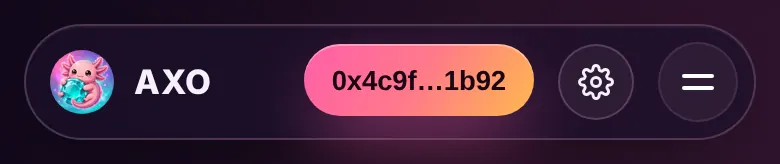
- Approve the connection in your wallet. Your shortened address now replaces the button.
- To switch, add or disconnect a wallet, tap the gear next to your address. Disconnect stops the site reconnecting by itself; Forget removes the wallet from the list.
- To hold $AXO, use Swap (ETH to $AXO on Robinhood Chain) or Bridge (pay from another chain). Chapter 7 shows both. Check the contract on the Litepaper before you buy.
Prefer a wallet made for AXO? The Wallet page creates or imports a non-custodial wallet on Robinhood Chain. Your recovery phrase stays on your device, encrypted with your password. Never share it with anyone.
Some pages show a different button. The Agents page has no wallet button in its header; you connect on each agent's own page,. AXO Trader uses your own Solana wallet.
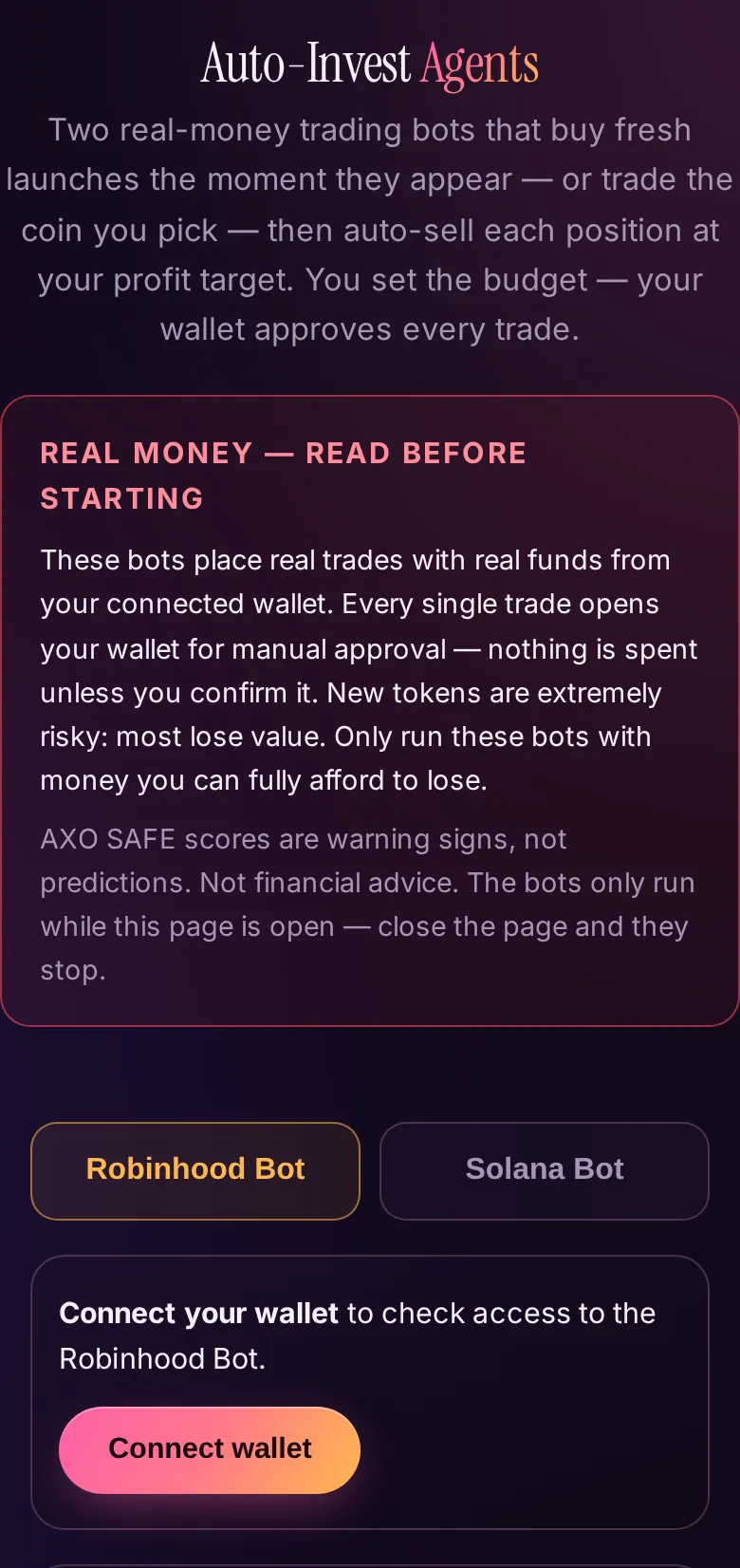
The Agents: set limits, start, watch
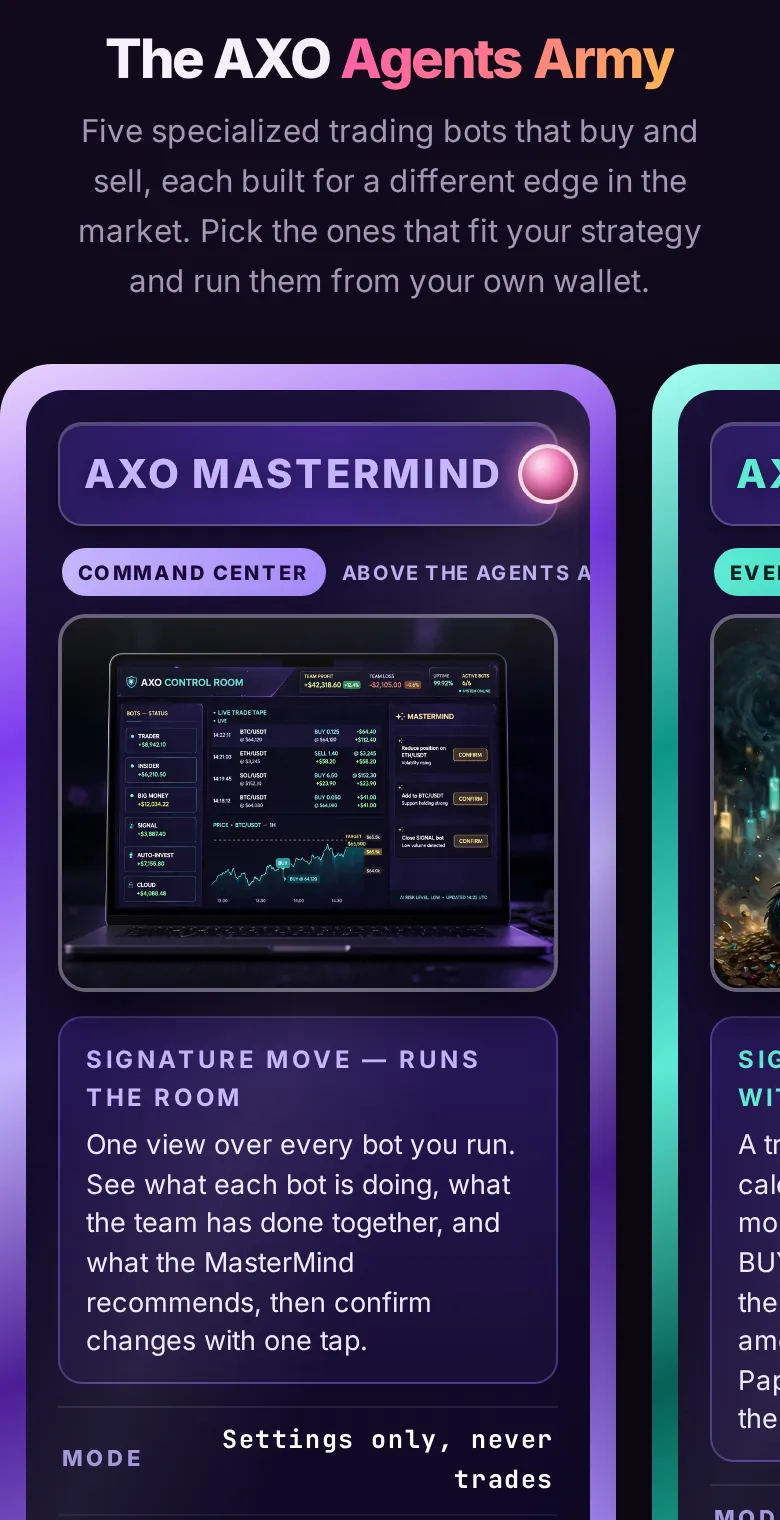
LiveAXO agents trade with your own funds and inside the limits you set. Each agent does one job; you decide the amount, the daily cap and when it starts and stops.
Who it is for: Anyone who wants rules-based trading help and is comfortable setting their own limits. Never trade money you cannot afford to lose.
Steps
- Connect your wallet. Use the Connect wallet button as in chapter 1. Agents check your wallet for access.
- Open the Agents page and pick your agent. Every agent below is live except STOCKS, which is under construction.
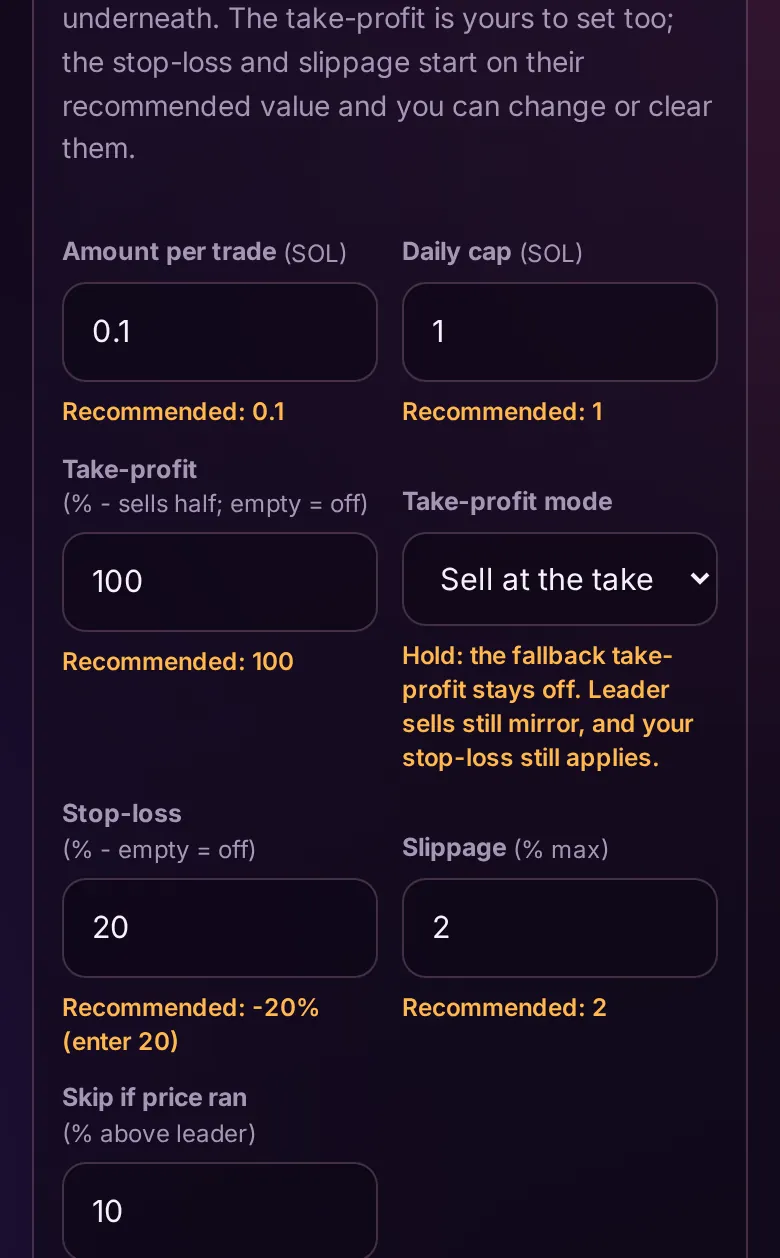
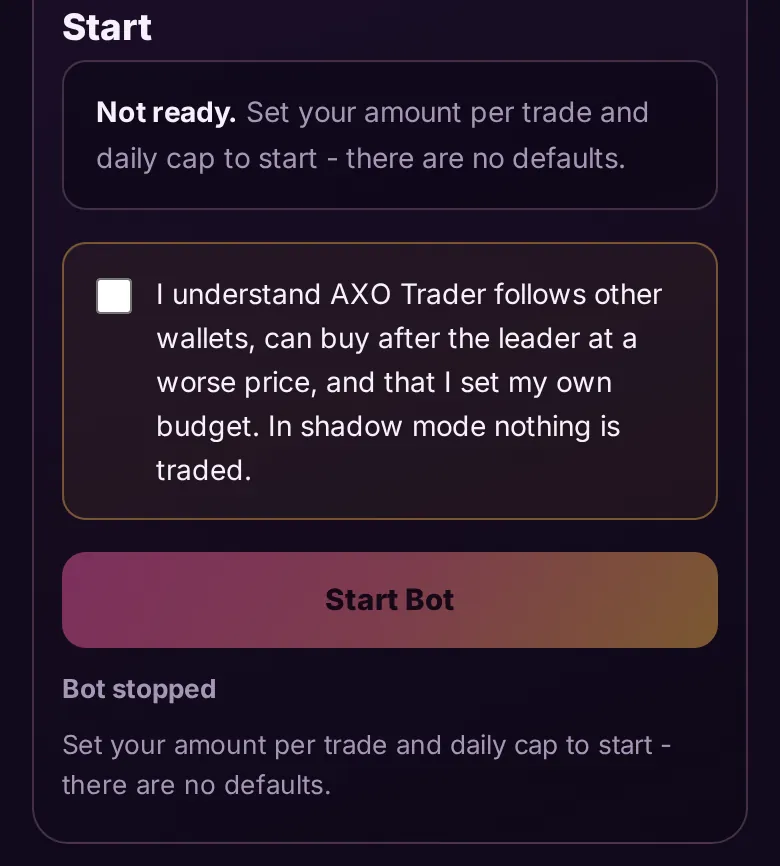
- Enter your own numbers. On the agent's page, enter your amount per trade, daily cap and take-profit. There are no defaults for these three. Every other field shows a recommended value underneath. Next to Stop-loss you will see Recommended: -20% (enter 20), which you can use, change or clear.
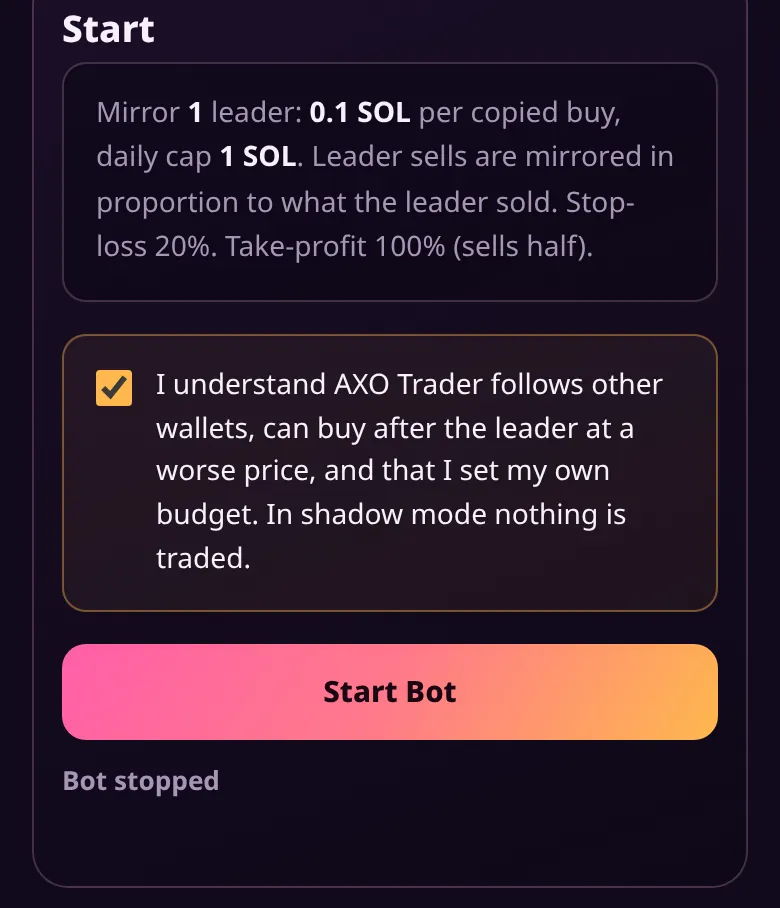
- Save and tick the risk box. Press Save settings, then read and tick the risk acknowledgement. Check that the summary line matches what you want to spend.
- Choose Browser or Cloud. See the choice below, then press Start Bot.
- Watch it. The agent's page shows live status, positions and an activity log. You can stop an agent at any time.
What each agent gives you
AXO Trader
Trades for you inside your limits, with every result on the record.
AXO Insider
Trades for you inside your limits, with every result on the record.
AXO Big Money
Trades for you inside your limits, with every result on the record.
AXO SIGNAL
Graded BTC, ETH and SOL calls, sealed before and graded after, that you can trade inside your limits.
AXO Chartist
Graded chart calls. It carries an UNPROVEN grade label until its track record is long enough, and the page shows that grade honestly.
Auto-Invest
Trades inside your limits on Robinhood Chain and Solana.
AXO Cloud
Runs your agents around the clock on your own server instance. See chapter 4.
AXO Kalshi
Trades Kalshi prediction markets from your own Kalshi account. See chapter 3.
AXO STOCKS
Under construction. It is not open yet.
Methods are proprietary. Results are public — sealed before, graded after.
Browser or Cloud
Browser
The agent runs in your tab while the page stays open. Every trade opens your wallet for your approval.
Cloud
The agent runs 24/7 on your AXO Cloud instance (). Your settings carry over, the site shows its positions and profit and loss, and you start and stop it from the site.
Good to know. The agent never chooses your budget: it only trades inside the buy amount, daily cap and exit targets you enter. Auto-Invest lets you sell any position from its own page.
Risk. Copy trading buys after the leader has already moved the price. A leader's past record does not predict the future, and no result is promised. Trading involves substantial risk of loss.
AXO Kalshi: prediction markets on your account
LiveAXO Kalshi is an agent that trades Kalshi prediction markets from your own Kalshi account. Kalshi is a marketplace for yes/no questions about the economy, crypto prices and politics. Every position and result is shown on the agent's page.
Who it is for: Anyone with a Kalshi account who wants an agent to trade inside limits they set.
Steps
- Connect your Kalshi account. Follow the connect step on the AXO Kalshi page.
- Set your limits. Choose your stake per trade, your daily loss cap and the market family the agent may trade.
- Arm the agent. Read and tick the risk box, then arm it. Disarm it at any time to stop new trades.
- Watch the record. Open positions show the side taken and the entry price. Settled positions show how each one resolved and whether it won or lost. Every panel shows when it was last updated, and the page marks old data as stale.
Risk. Prediction-market trading involves substantial risk of loss, and small numbers of settled calls prove little. No result is promised. Not financial advice.
AXO Cloud: the 24/7 add-on
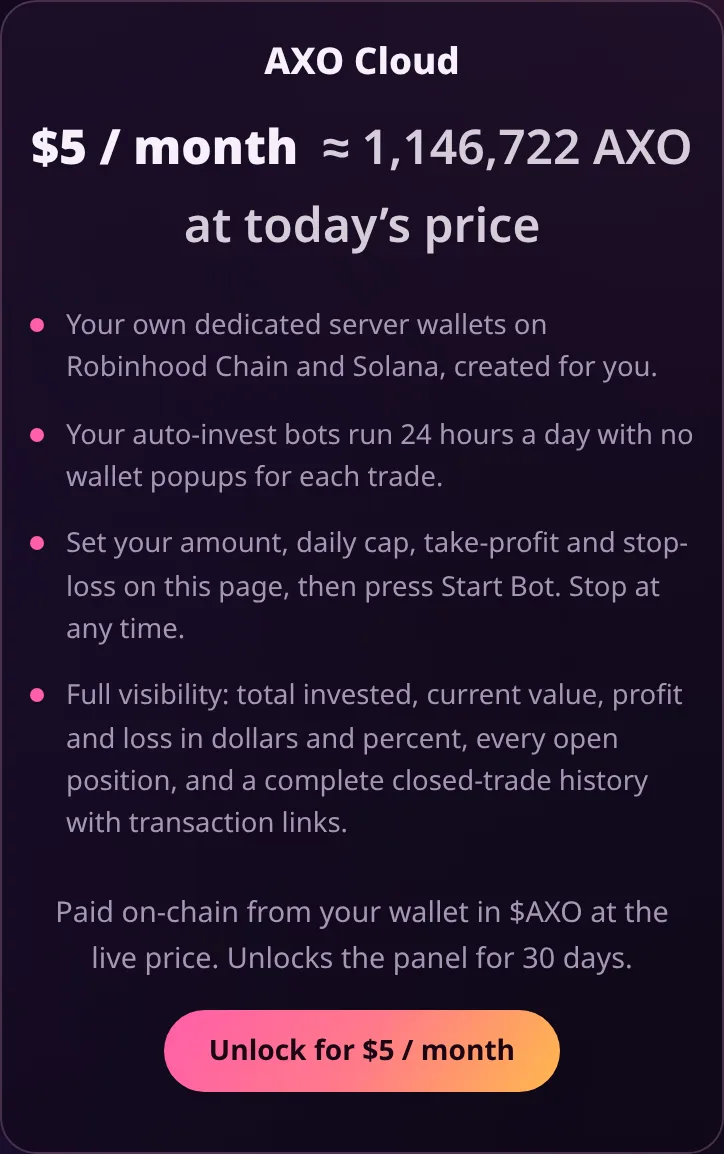
LiveBy default an agent runs in your browser while you keep its page open. AXO Cloud runs your agents around the clock on your own AXO Cloud instance, so you do not need a tab open.
Who it is for: People who want an agent to keep following their limits while their phone or computer is off, and who accept that the instance wallet is a hot wallet.
Steps
- Open the AXO Cloud page and connect your wallet. The panel asks you to sign in with your wallet; signing is free and sends no transaction.
- Subscribe: the plan is , paid on-chain from your wallet in $AXO at the live price.
- Your agent settings carry over to your instance. Set or check your amount, daily cap, take-profit and stop-loss on the Cloud page.
- Press Start Bot. The site shows your instance's positions and profit and loss, and you start or stop it from the site at any time.
Risk. Your instance wallet is a hot wallet held on AXO infrastructure. Fund it only with an amount you are prepared to lose.
AXO SAFE, Portfolio Guard and the Rug Database
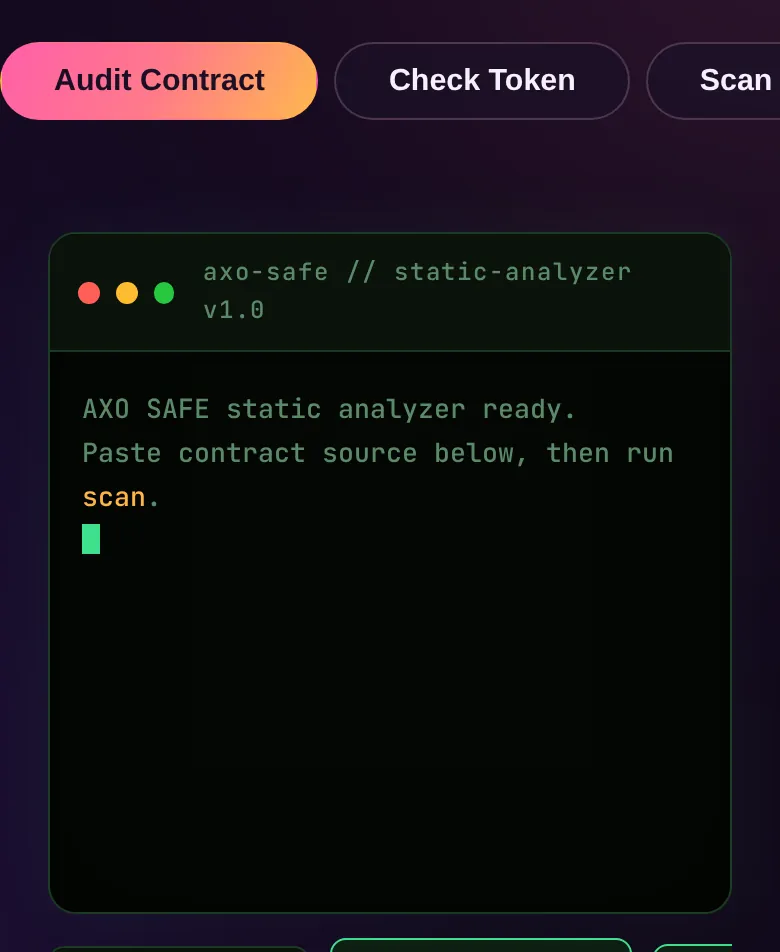
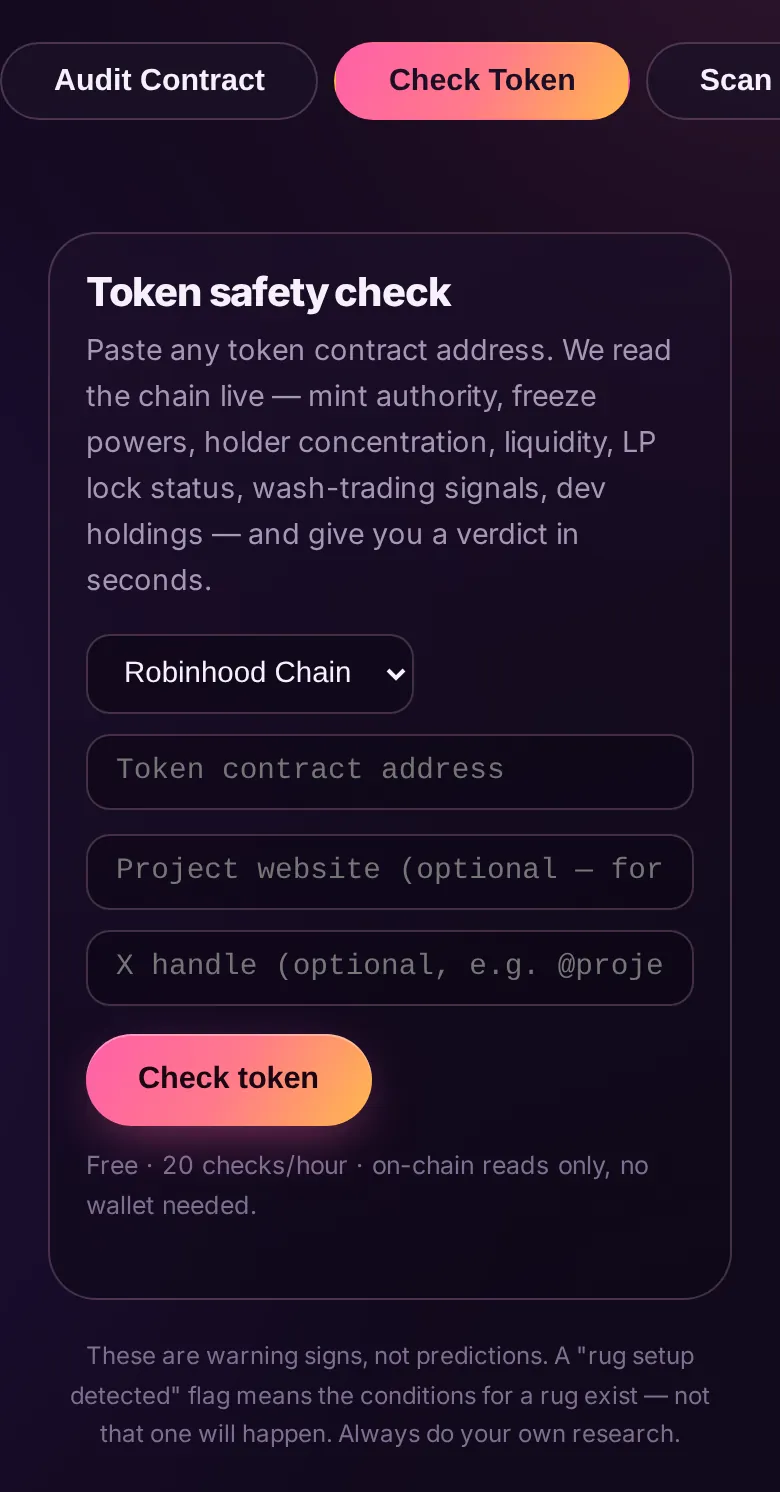
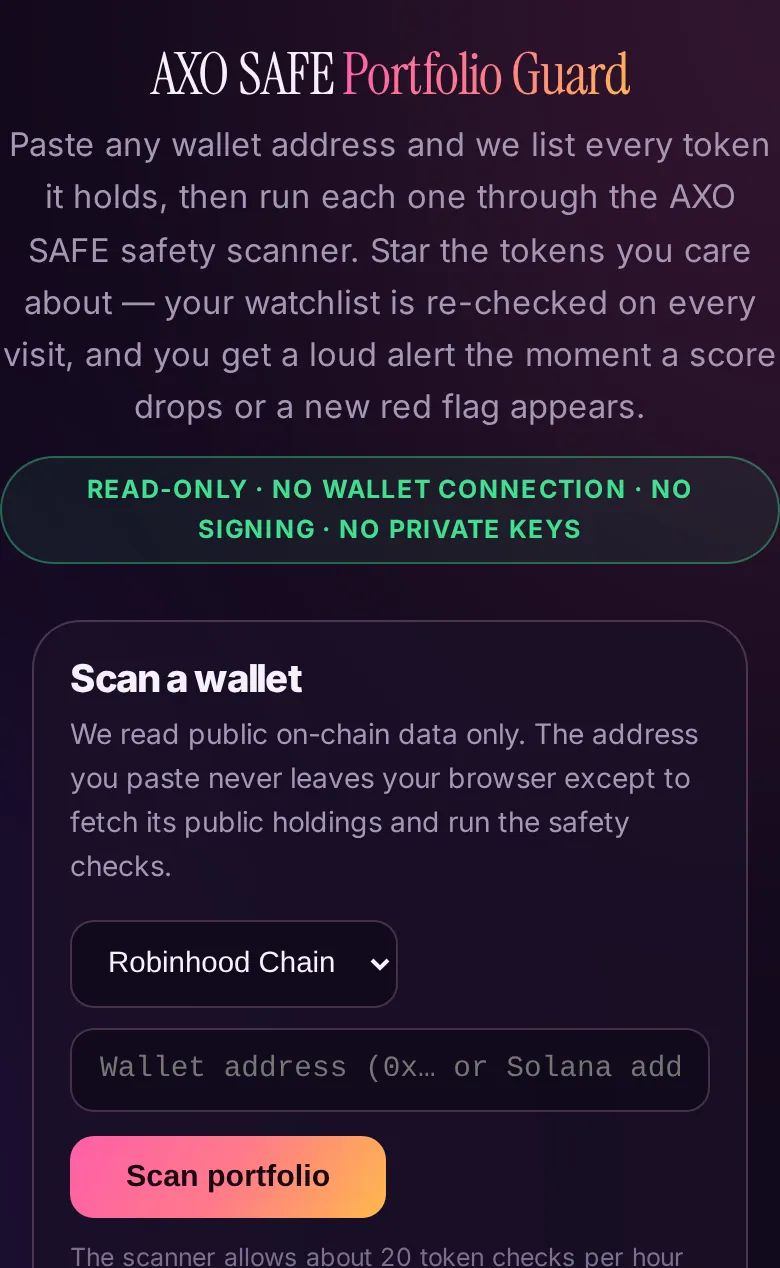
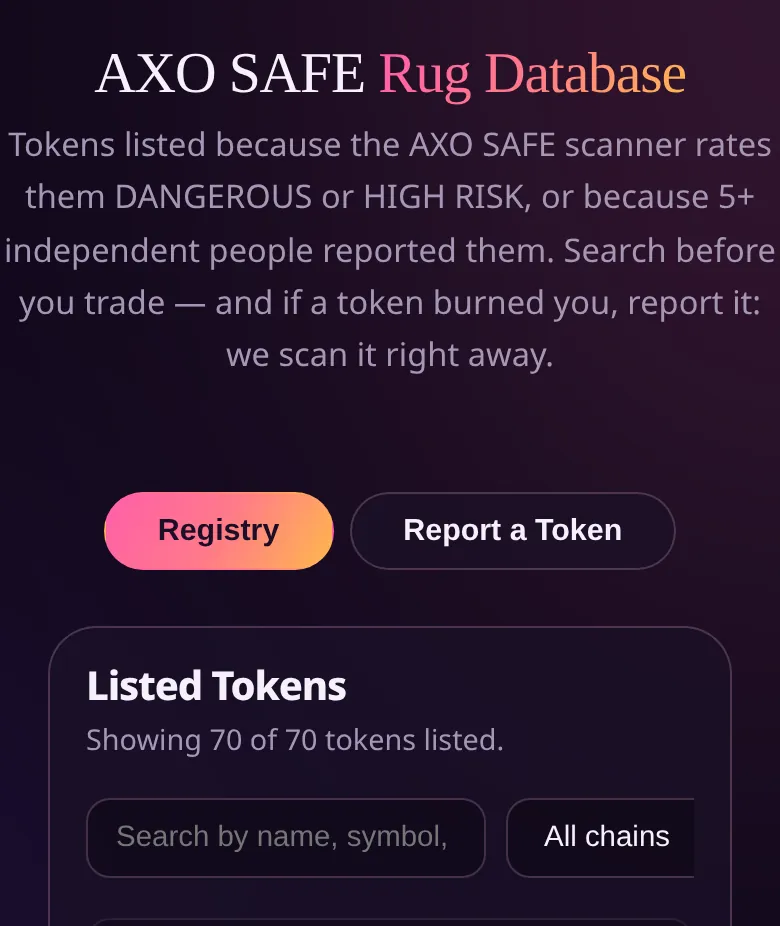
LiveThree free safety tools. AXO SAFE audits contract code, checks a token and scans a wallet. Portfolio Guard lists everything a wallet holds and scores each token. The Rug Database is a searchable list of reported tokens.
Who it is for: Anyone about to buy a token, and anyone who wants to check what is already in a wallet.
Steps
- Open AXO SAFE. Pick a tab: Audit Contract (paste Solidity or Rust/Anchor source and press Run scan), Check Token (a token address) or Scan Wallet.
- Free use: about 20 token checks per hour and 10 static scans per hour, no wallet needed. Treat a score as a warning sign, not a prediction.
- Open Portfolio Guard. Choose a chain (Robinhood Chain, Ethereum or Solana), paste any wallet address and press Scan portfolio. It is read-only: no wallet connection, no signing.
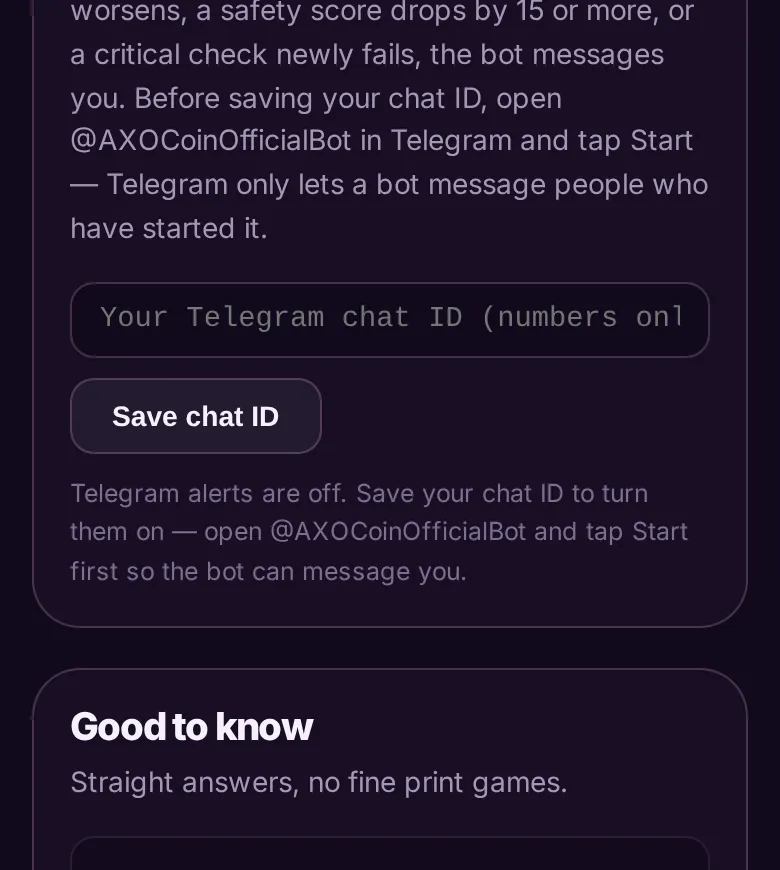
- Tap the star on a token to add it to your watchlist. It is saved on this device and re-checked on every visit; a loud alert shows if a score drops by 15 or more or a new red flag appears.
- For Telegram alerts, open the AXO Telegram bot and press Start first, then save your chat ID in the Telegram card.
- Before buying, search the Rug Database by name or address and filter by chain.
Paid extras. Pro is 2,000 $AXO per month (continuous Portfolio Guard alerts and API access). An AI deep review costs 500 $AXO per scan. The core checks stay free.
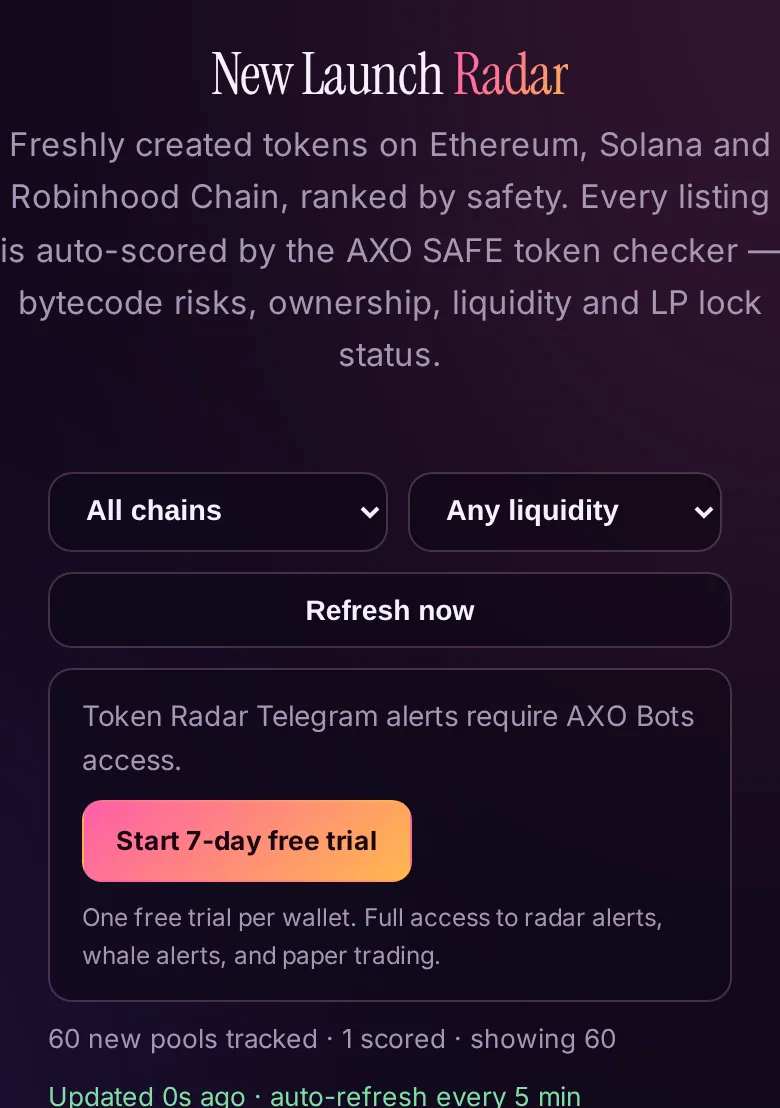
Token Radar
LiveA feed of freshly created tokens on Ethereum, Solana and Robinhood Chain, each scored automatically by the AXO SAFE checker. It scans and alerts; it never trades.
Who it is for: People who watch new launches and want a safety read before they look closer.
Steps
- Open Token Radar from the Agents page.
- Set the three filters: chain, minimum liquidity and minimum score. Refresh now reloads the list; it also refreshes every 5 minutes.
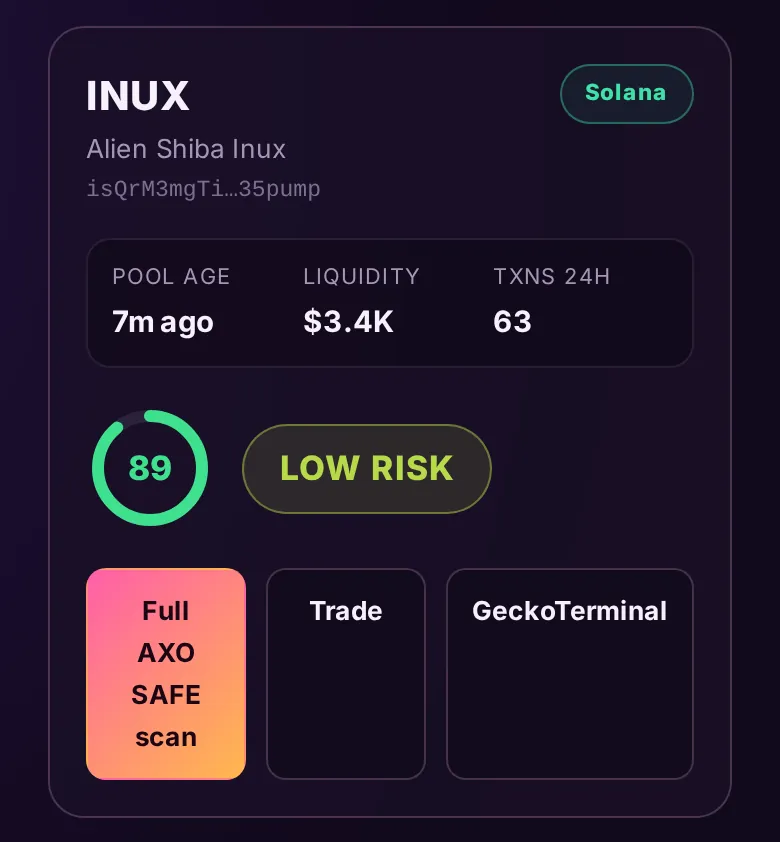
- Read each listing: pool age, liquidity and the safety score. Some read Queued for safety scan or Not scored: below liquidity threshold, and that is shown honestly rather than guessed.
- Tap Full AXO SAFE scan for the detailed checks.
- Tap Trade to jump to the Auto-Invest page with that token loaded in its Choose a coin flow. It only fills the box and shows the notice; it never buys for you, and you check the AXO SAFE verdict first.
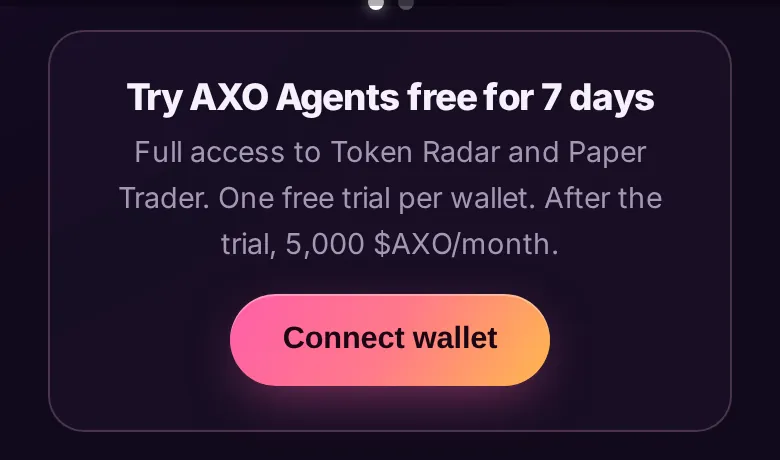
- Telegram radar alerts need AXO Agents access (the 7-day free trial or a plan).
Risk. Most newly listed tokens lose most of their value. A good score lowers risk; it does not remove it.
Swap and Bridge
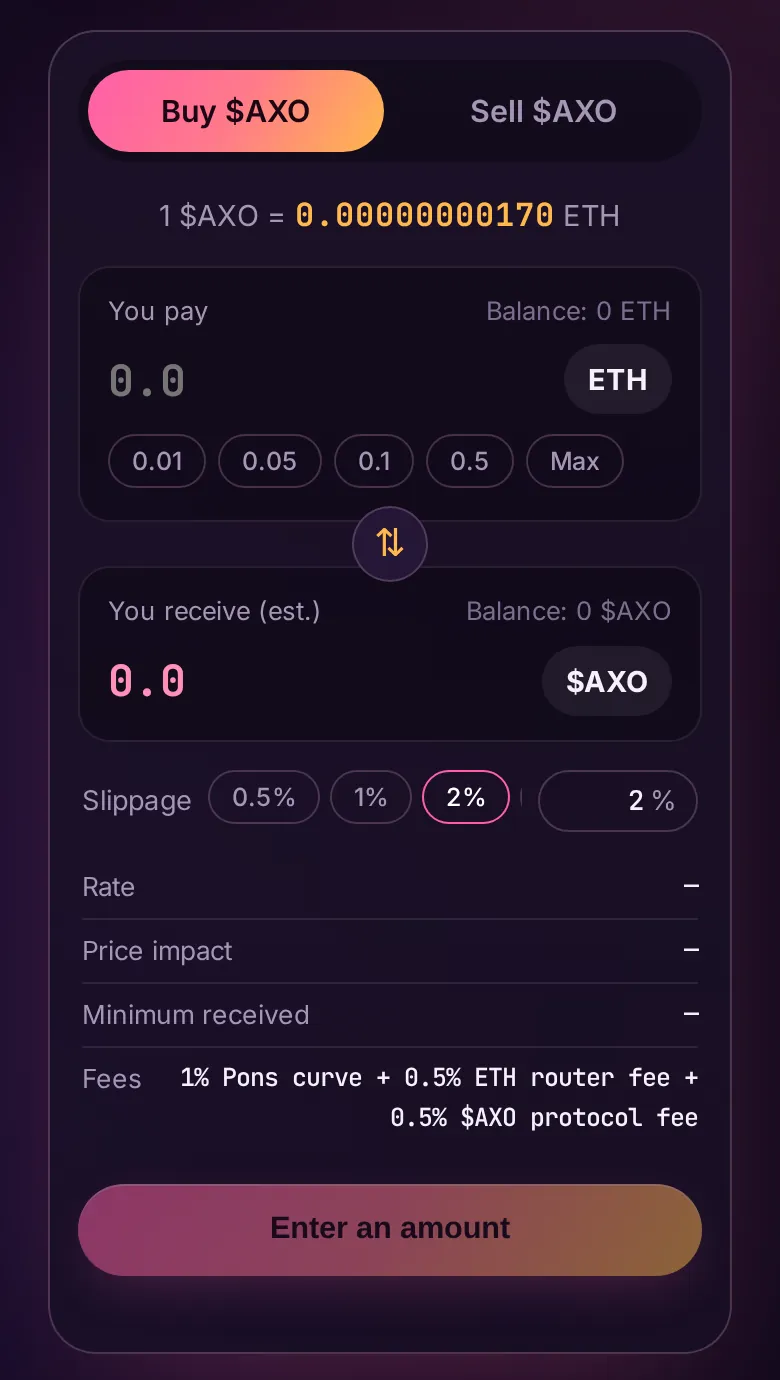
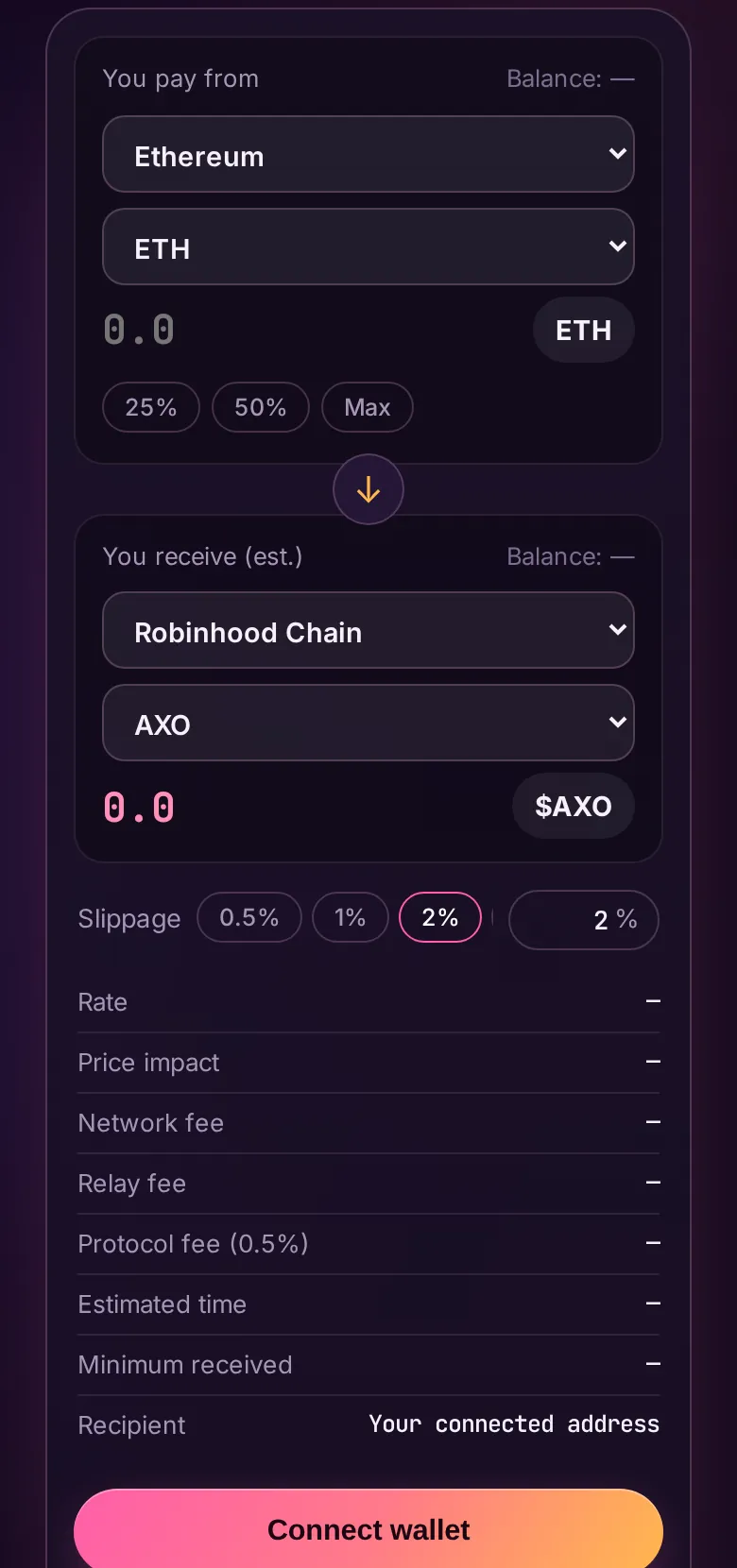
LiveSwap buys and sells $AXO for ETH on Robinhood Chain through the Pons bonding curve. Bridge pays with a token on one chain and delivers a token on another in one step, routed by Relay.
Who it is for: Anyone who needs $AXO, or needs to move value between chains.
Steps
- Open Swap and connect your wallet. Your wallet must be on Robinhood Chain; it will ask to switch.
- Choose Buy $AXO or Sell $AXO, then type an amount or tap a preset.
- Check Rate, Price impact, Minimum received and Fees (1% Pons curve, 0.5% ETH router fee and 0.5% $AXO protocol fee). Set slippage if you need to.
- Press the swap button and approve in your wallet.
- For another chain, open Bridge. Pick the source chain and token, the destination chain and token, and an amount. Review the network fee, relay fee, 0.5% protocol fee and estimated time.
- Press the button and sign on the source chain. The token arrives at the same address on the destination chain.
Price moves with every trade. The bridge's 0.5% fee is charged in $AXO; where the page cannot take it that way, it takes the same 0.5% inside the bridge in the token you send.
AXO DEX
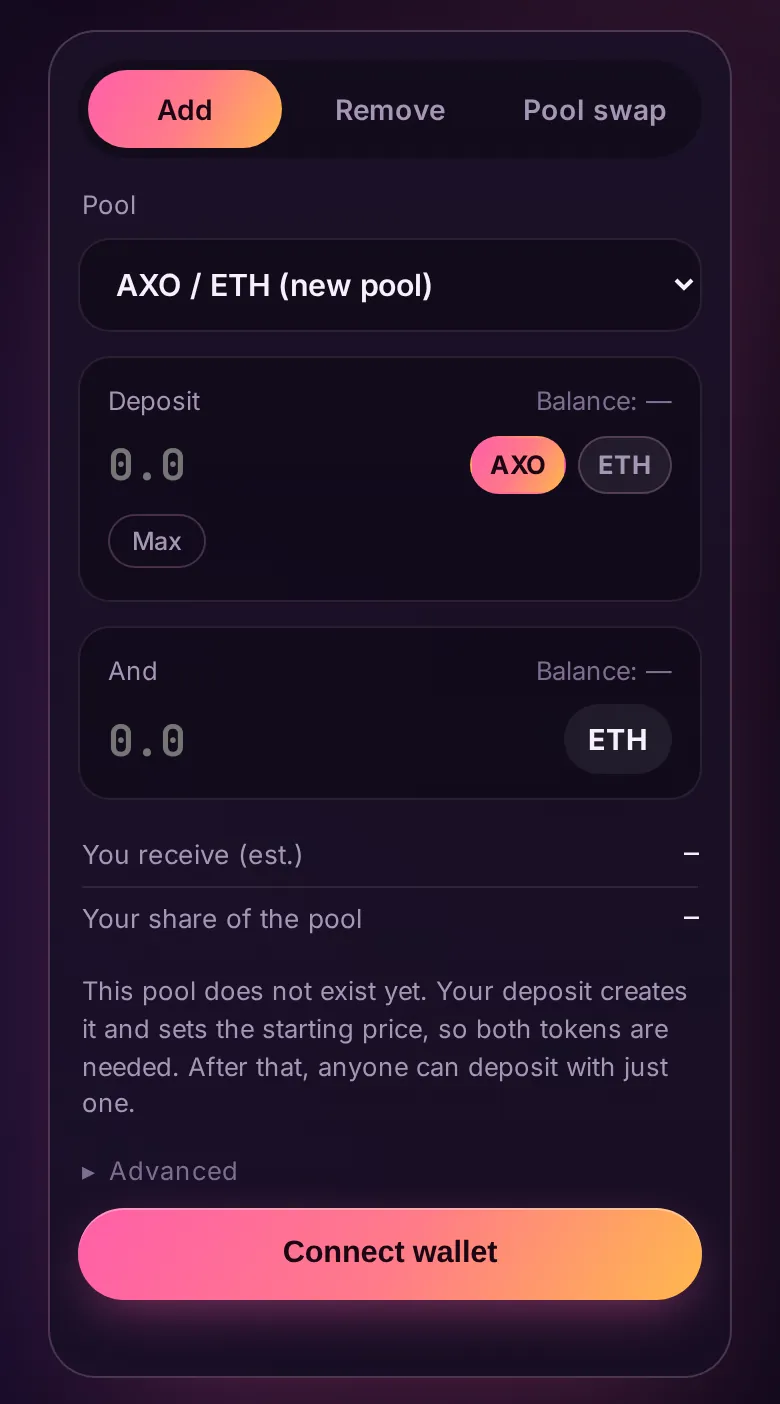
LiveAXO DEX is our own exchange on Robinhood Chain. A liquidity pool is a shared pot of two tokens that lets people swap between them; depositors earn 0.3% of every swap in their pool. Anyone can list a token — there is no listing approval and no admin key. These are simple full-range pools: no ranges, no ticks.
Who it is for: Token creators who want a market for their coin, traders swapping on Robinhood Chain, and liquidity providers who understand the risks below. This is not a savings account.
Steps
- Open AXO DEX (the Pools page) and connect your wallet on Robinhood Chain.
- To list a token or add liquidity: press Deposit your tokens, choose the pool on the Deposit tab — or paste a token address there to open a brand-new pool — and enter your amount. A brand-new pool needs both tokens — your deposit creates it and sets the opening price. In a pool that already exists, one token is enough: part of it is swapped inside the pool and both sides are deposited for you. You receive LP tokens as your receipt.
- To swap: open the Pool swap tab, pick the pool and enter an amount. Read the AXO SAFE panel first (see below), then confirm in your wallet.
- To withdraw: the Remove tab returns your share of the pool at any time. Withdrawals are never blocked or delayed.
- Your open positions appear under My positions, with your LP balance and what it is worth.
Every token is scanned first. Before you can buy a token here, AXO SAFE checks its contract (mint and freeze powers), how concentrated its holders are, its creator and its liquidity — and the verdict travels with the trade. A token flagged HIGH RISK or DANGEROUS, or listed in the Rug Database, shows its flags in red, and the swap stays locked until you tick that you understand you could lose everything. The panel also shows how much of the pool’s LP tokens are burned: burned liquidity cannot be pulled out by the pool’s creator. Selling a token and removing your liquidity are never gated — your exit is always open.
Risks in plain words. Prices move with every trade, so your pool share can be worth less than what you put in (impermanent loss). There is no token reward, only the 0.3% fee. Anyone can create a pool for any token, so check the token address before you deposit. Not financial advice.
Cards: Packs, Marketplace, Fuse, Upgrade
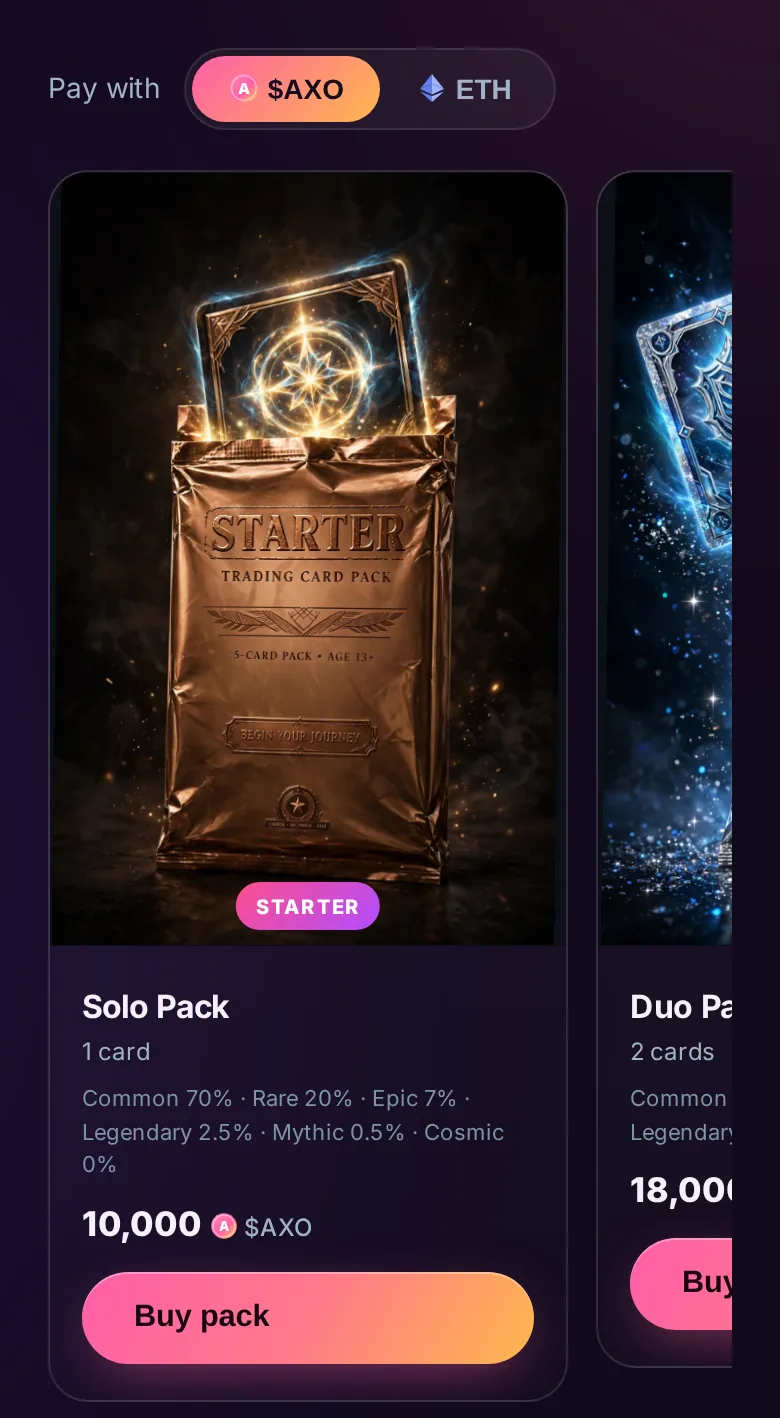
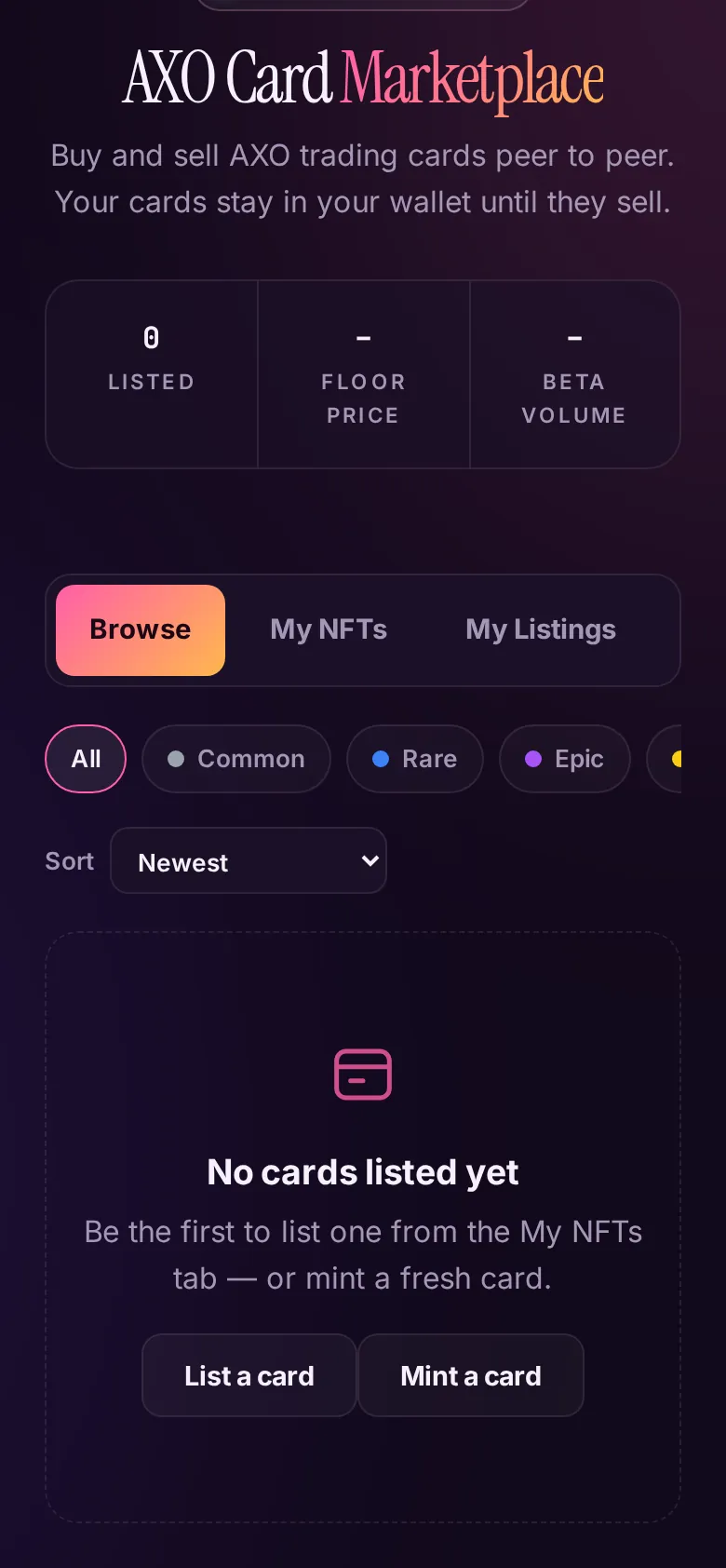
LiveCollectible creature cards that are real NFTs in your wallet, in five rarities from Common to Mythic. You open packs, trade peer to peer, fuse cards upward and level them up for battle.
Who it is for: Collectors and players. Cards are collectibles for fun, with no promise of value.
Steps
- Packs. Open Packs, pick how to pay ($AXO or ETH), and read the odds printed on each pack. Press Buy pack and approve. Cards are revealed one by one.
- Marketplace. Browse listings, or open My NFTs to list a card. Your card stays in your wallet until it sells. The marketplace takes 2.5% from the seller on ETH sales. $AXO sales are peer to peer, so trade only with people you trust.
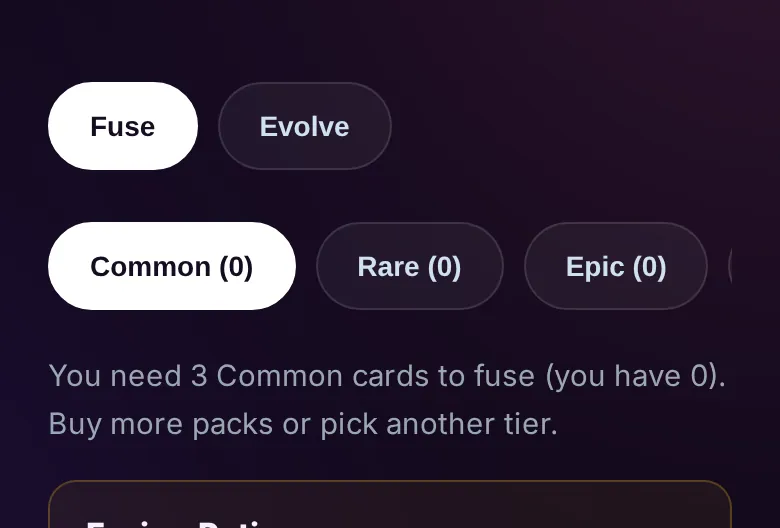
- Fuse. Pick a tier and select 3 same-tier cards to fuse into 1 card of the next tier. A fusing potion (1,000 to 20,000 $AXO) improves your odds; the green potion is 85% and the red is 95% success.
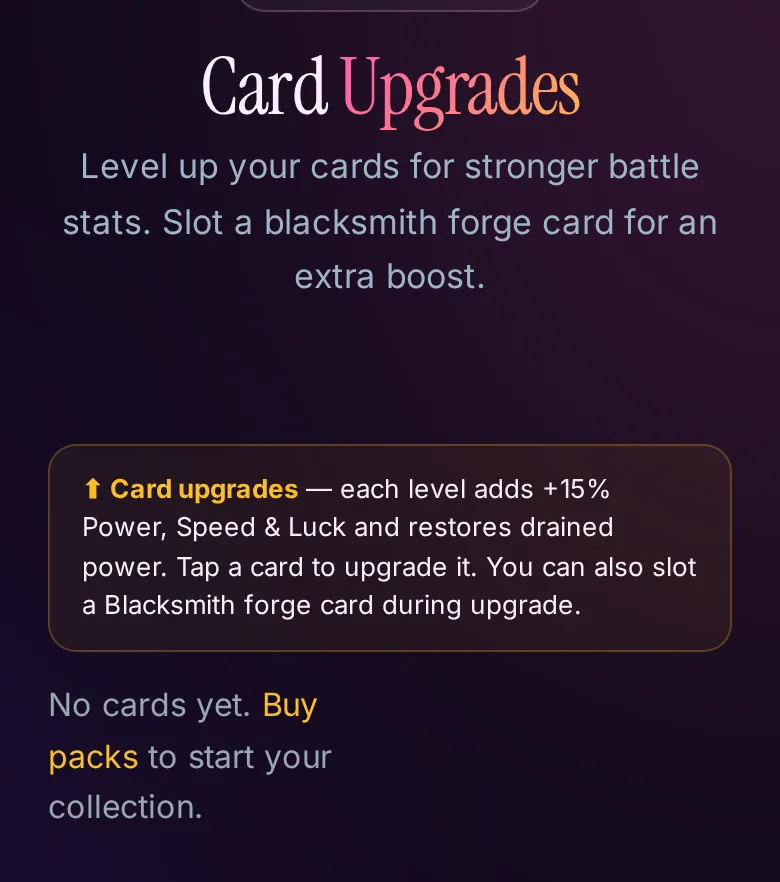
- Upgrade. Tap a card to level it. Each level adds 15% Power, Speed and Luck. You can slot a Blacksmith forge card for an extra boost.
The Cosmic tier is listed with 0% odds in packs on the Packs page. Marketplace and cards pages show live stock and prices.
Battle Arena
Practice seasonThree cards, one pot. Speed strikes first, Power hits hardest, Luck bends fate. You build a deck of three cards and fight an opponent.
Who it is for: Card owners who want to play. Real wagering is not open yet.
Steps
- Open the Battle Arena. The banner states the mode: Practice season, no $AXO moves yet.
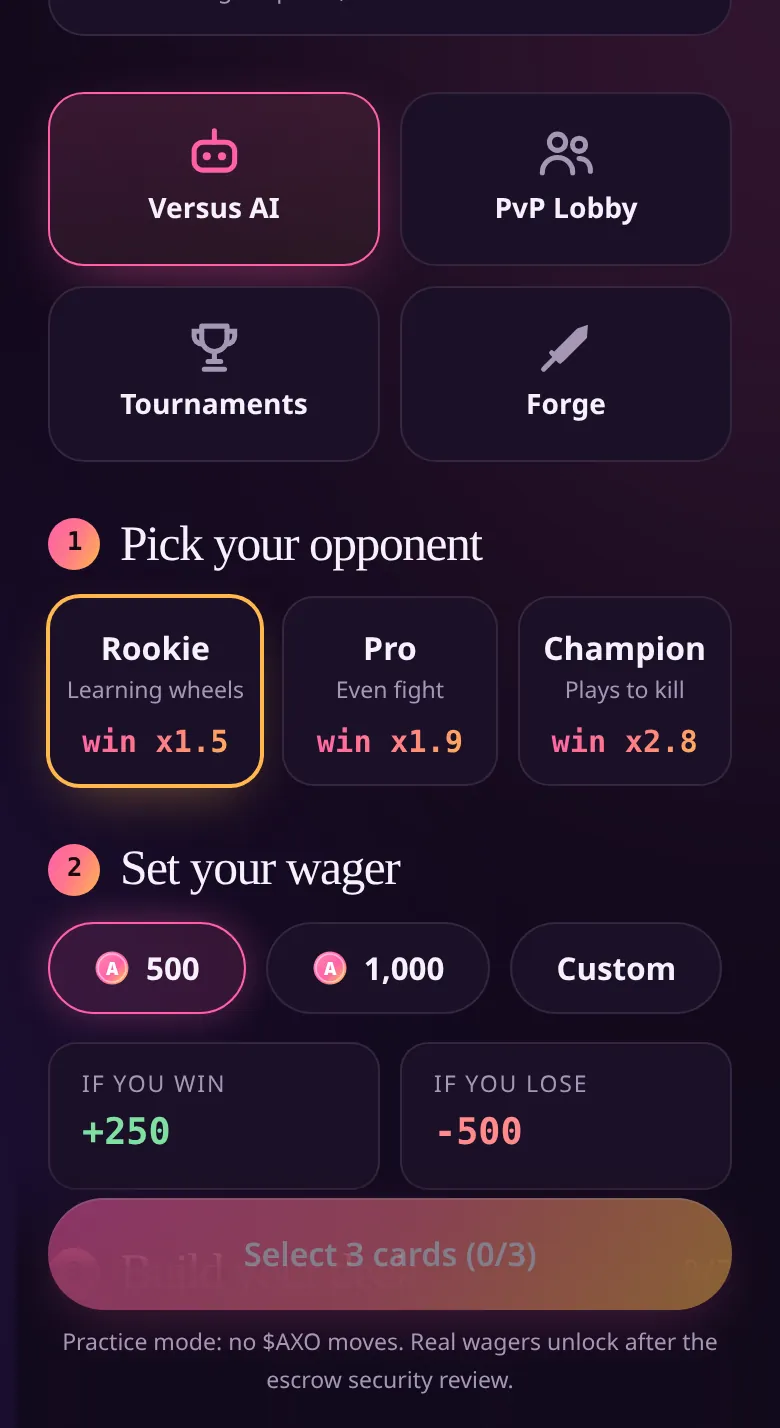
- Pick Versus AI and an opponent: Rookie (win x1.5), Pro (win x1.9) or Champion (win x2.8).
- Set your wager (500, 1,000 or custom) and read the box that shows what you would win or lose.
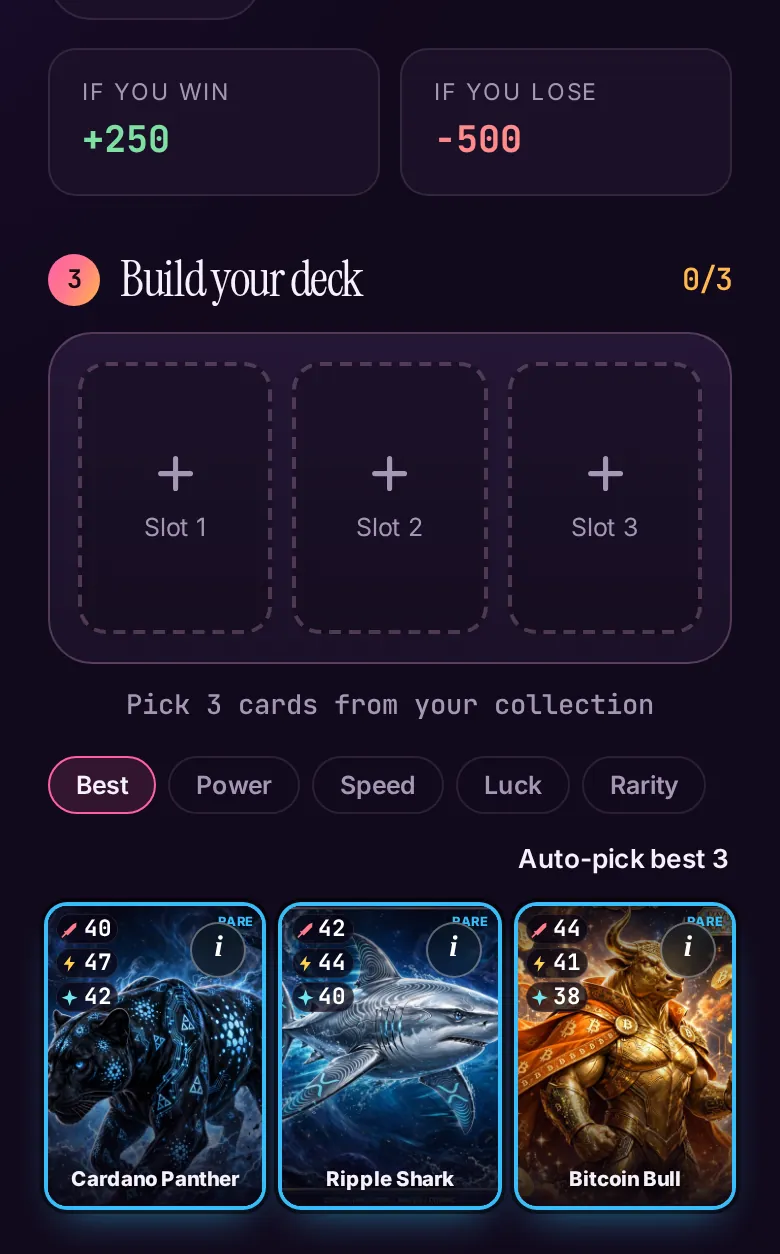
- Build your deck: pick 3 cards, or tap Auto-pick best 3.
- Press the fight button. You earn XP, level up and complete daily quests. The monthly leaderboard rewards the top three.
Availability. Live mode is launching soon. Practice mode moves no $AXO, and real wagers unlock only after the escrow security review. PvP Lobby, Tournaments and Forge are also on the page.
Launchpads: Robinhood Chain and Solana
LiveCreate your own coin from your own wallet, with no code. AXO never holds your funds or keys.
Who it is for: Creators. Launched tokens are high risk for everyone who buys them.
Steps
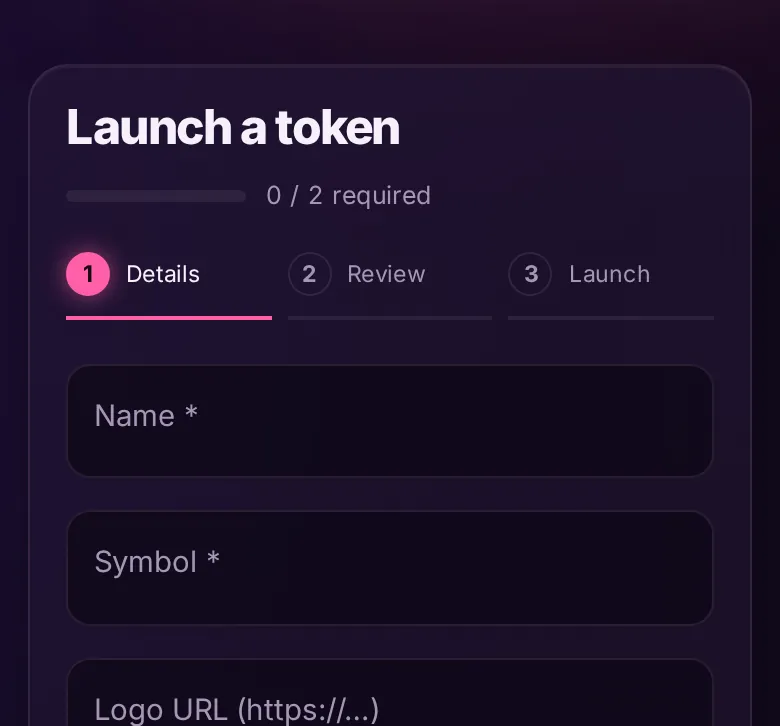
- Robinhood Chain. Open the Launchpad, connect, and fill in Details (name and symbol are required; logo, description and links are optional). Press Review launch, then Launch.
- The cost is the Pons fee (0.0005 ETH) plus a $0.10 platform fee. The platform fee is paid first in its own transaction, then the Pons launch transaction runs.
- The refund rule: if the Pons launch transaction fails on-chain, the platform fee is refunded automatically and the page shows a link to the refund. If you close the tab before it finishes, the refund resumes next time you open the page. A wallet rejection is not an on-chain failure, so it is not refunded.
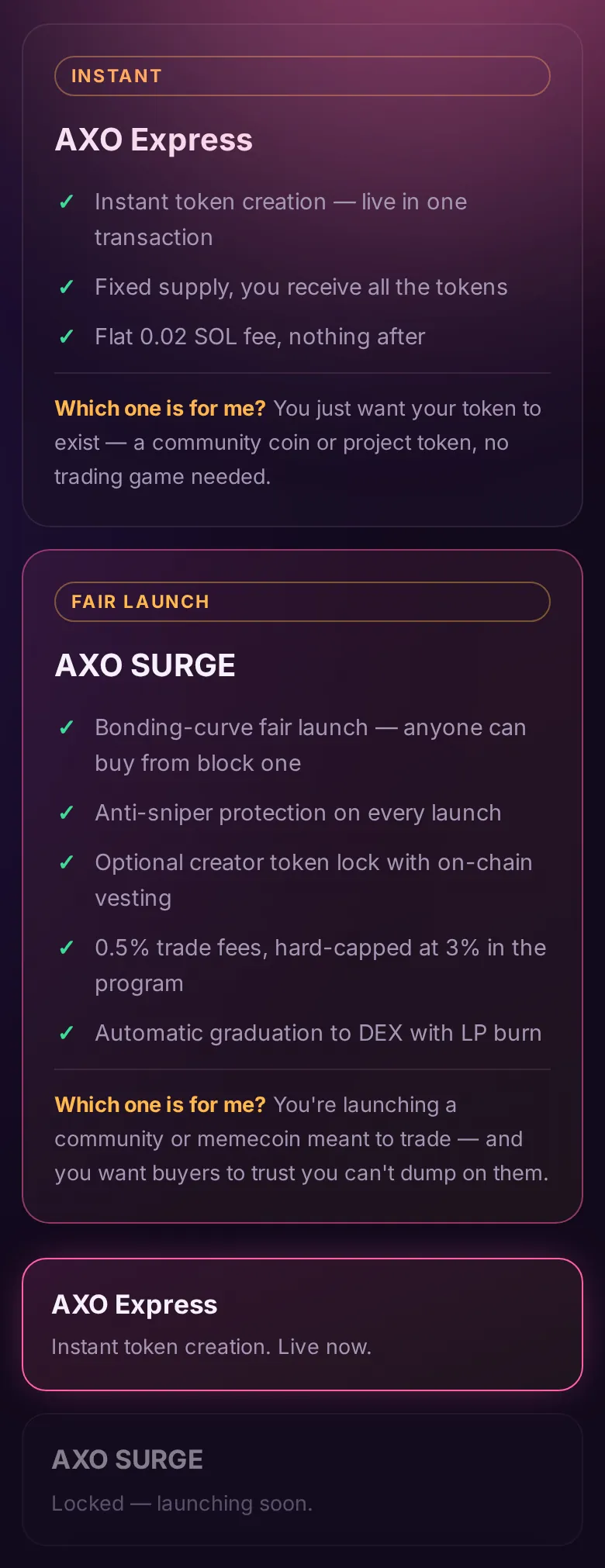
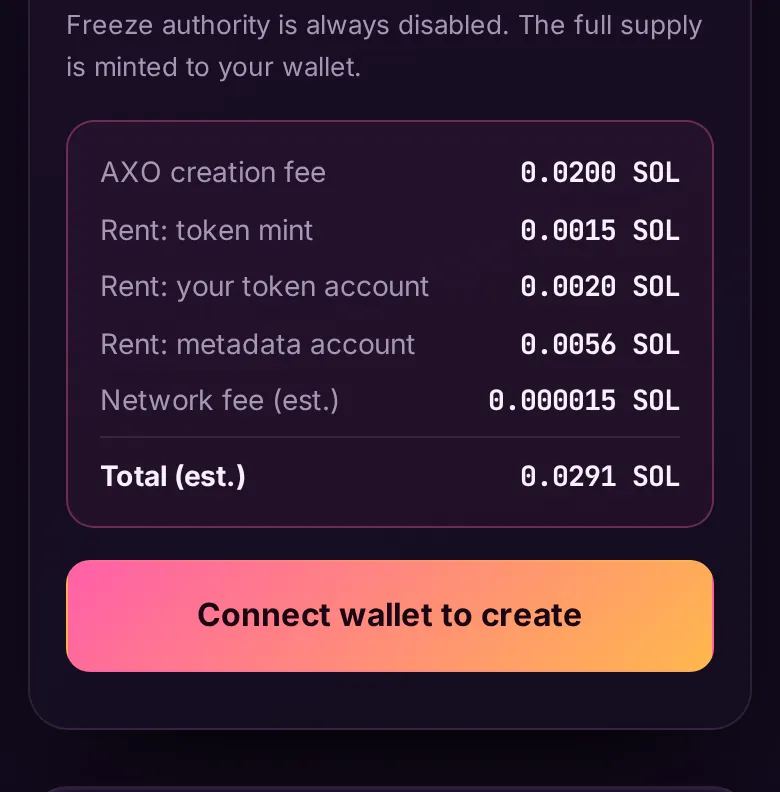
- Solana. Open the Solana Launchpad. AXO Express is live: one transaction, a flat 0.02 SOL fee plus network rent, and the full cost is itemized before you sign. AXO SURGE (bonding-curve fair launch) is locked, launching soon.
AXO Launchpad is an interface to Pons contracts. Tokens are high risk. Do your own research.
Explorer, Holders, Heatmap and Live Trades
LiveFour read-only data pages. No wallet is needed for any of them.
Who it is for: Anyone who wants to check the numbers instead of trusting a screenshot.
Steps
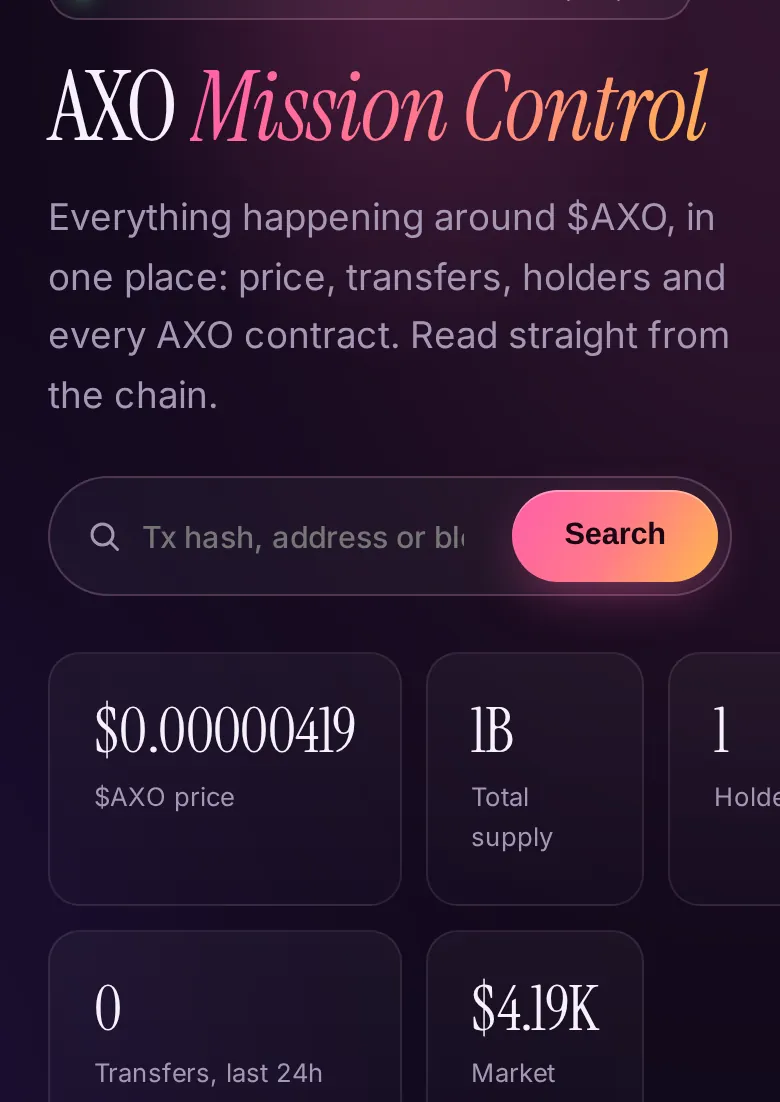
- Explorer (AXO Mission Control): price, supply, holders, the latest $AXO transfers and every AXO contract with a link to the block explorer. Use the search box for an address or transaction.
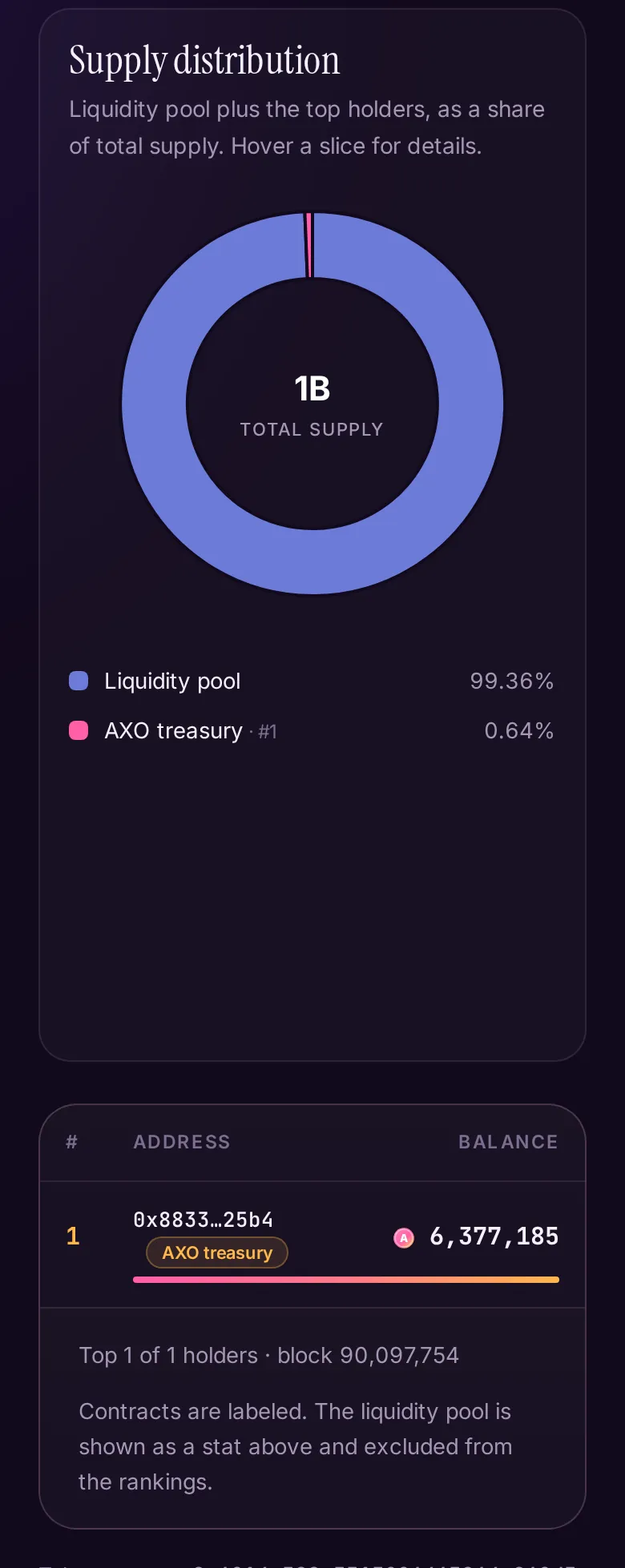
- Holders: the top wallets by $AXO balance, rebuilt from on-chain transfer logs, with a supply distribution chart.
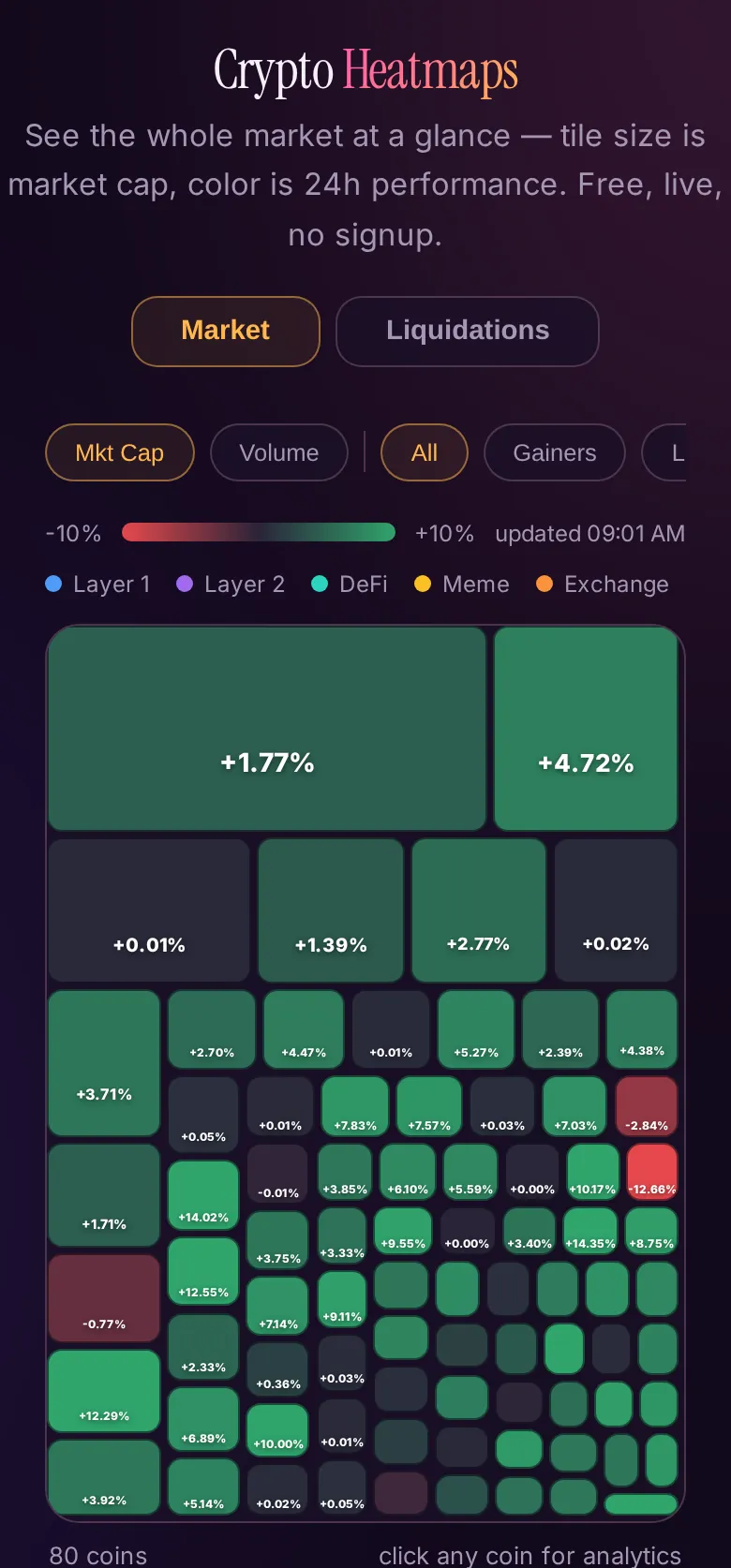
- Heatmap: the whole market at a glance. Tile size is market cap, color is 24h change. The Liquidations tab is an estimate built from public futures data, not exchange liquidation data.
- Live Trades: real-time trades streamed from several major exchanges. Choose a coin and a minimum size. Some exchanges can be offline in some regions, and the page marks them automatically.
About Live Trades. Its screenshot is not shown because the live exchange feeds could not be reached from the capture environment, and an offline screen would be misleading.
Litepaper
LiveThe one-page summary of $AXO: the utility token of the AXO ecosystem on Robinhood Chain, with a fixed 1,000,000,000 supply, no presale and no team wallets, plus the contract address and roadmap.
Who it is for: Anyone who wants the basics before buying.
Steps
- Open the Litepaper and read the tokenomics, how to buy and the disclaimer. $AXO is the utility token of the AXO ecosystem, with no promise of financial return.